
If your Realme TV screen is flickering, blinking, shaking, showing lines, becoming dim, or going black after a few minutes, it can disturb your full viewing experience. Many Realme Smart TV users in Vizag face display-related problems suddenly. One day the picture looks clear, and the next day the screen starts flickering, brightness changes automatically, or lines appear on the display.
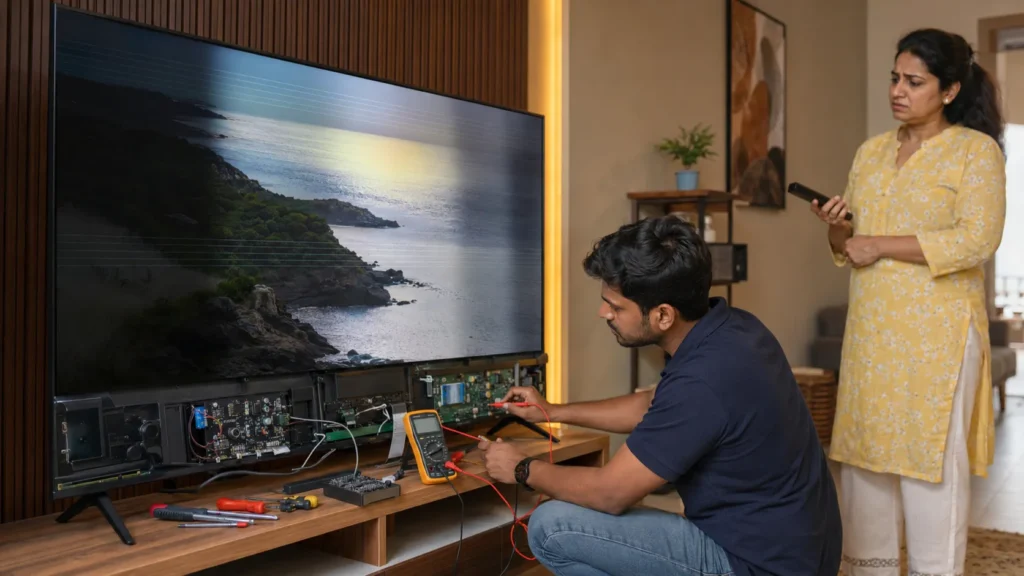
For this type of issue, Realme TV Screen Flickering Repair Vizag service is important because screen flickering can come from different sections like backlight, T-Con board, display panel, motherboard, display ribbon cable, power board, HDMI input, or Smart TV software issue.
చాలా మంది customers ఇలా చెప్తారు: “Realme TV screen flicker అవుతోంది,” “display blinking అవుతోంది,” “screen lines వస్తున్నాయి,” “brightness automatic గా change అవుతోంది,” or “కొంతసేపు చూసిన తర్వాత screen black అవుతోంది.” These symptoms may look similar, but the actual reason can be different from one TV to another.
At TVcaree, we provide independent Realme TV repair support in Vizag with proper display diagnosis and clear repair guidance.
Why Realme TV Screen Flickering Happens
Realme TV screen flickering can happen due to display, backlight, power supply, motherboard, T-Con board, software, or input source issues. Sometimes the problem is small and related to HDMI cable or picture settings. Sometimes it can be an internal hardware issue.
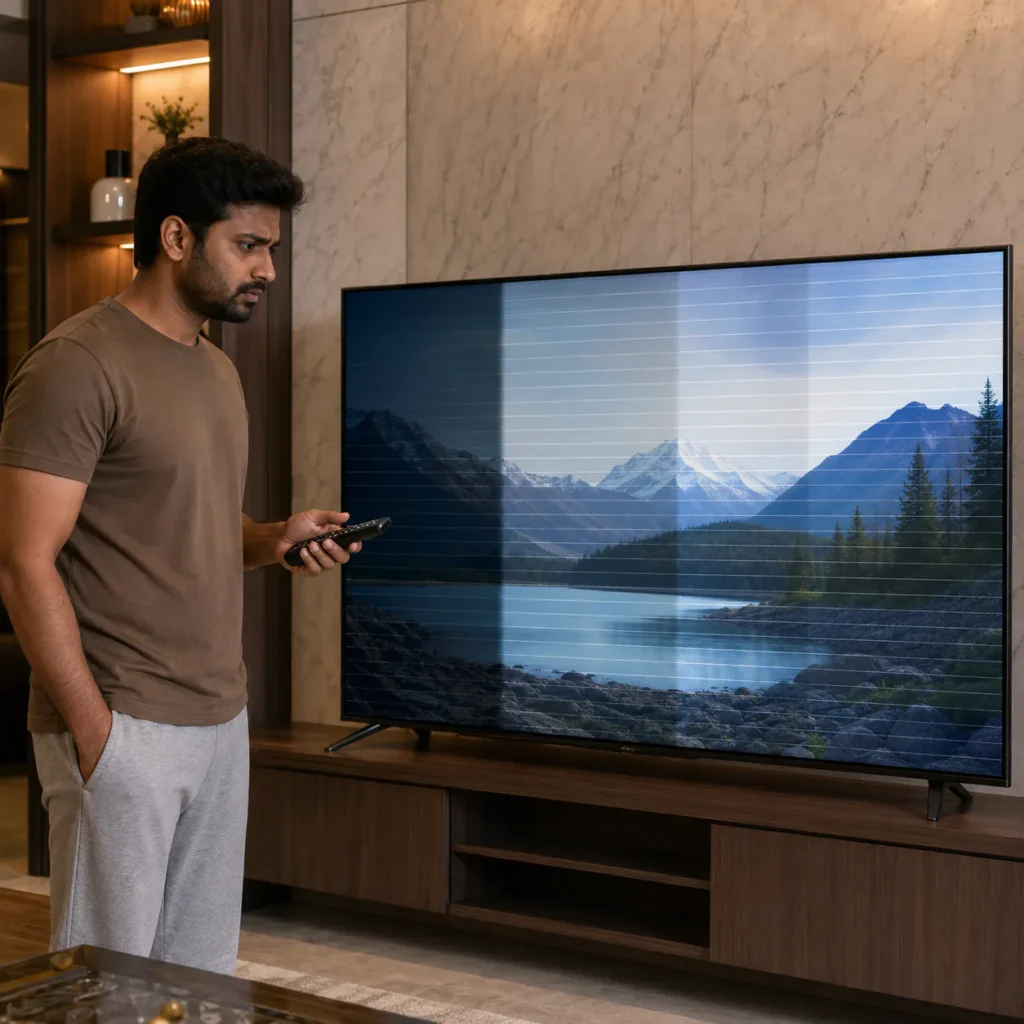
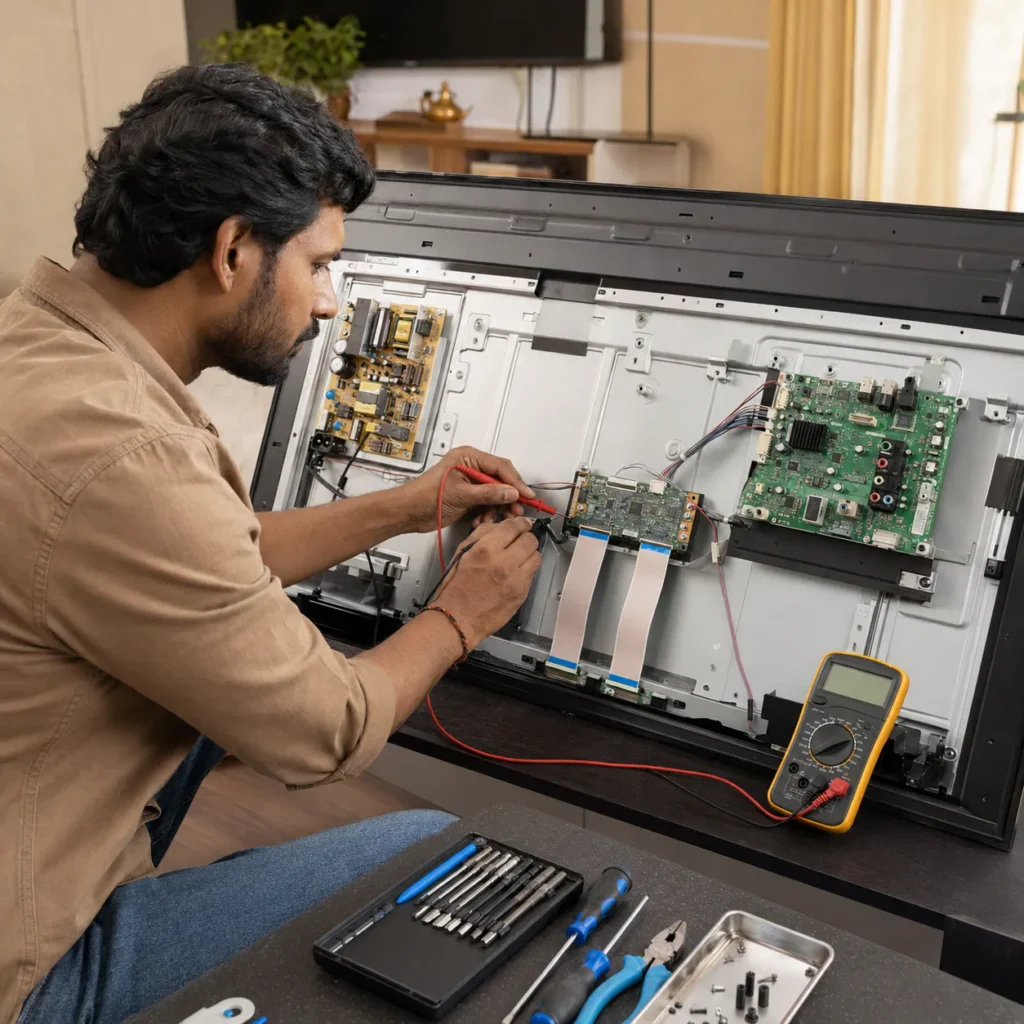
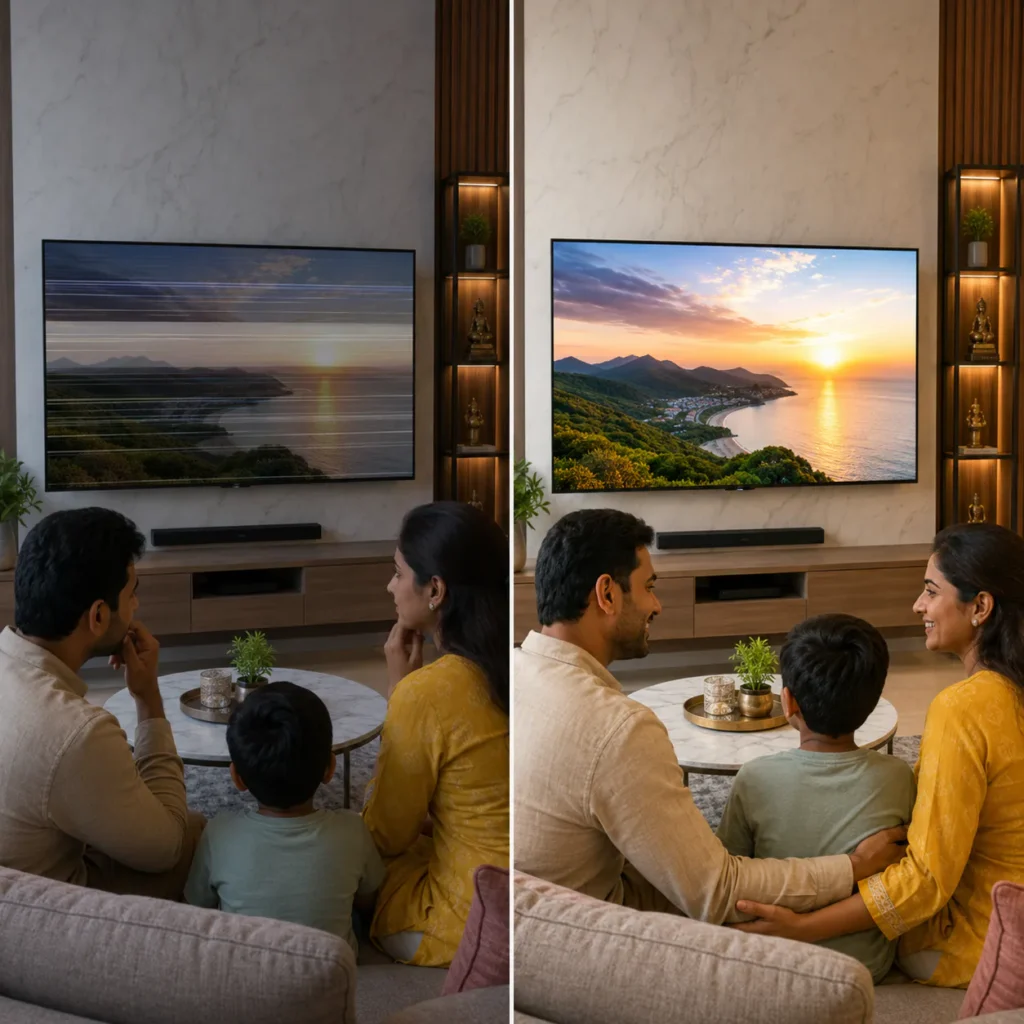
Common reasons include:
- Backlight failure
- Weak LED strips
- T-Con board issue
- Display ribbon cable loose connection
- Motherboard display signal problem
- Power board instability
- Display panel issue
- HDMI cable or set-top box issue
- Software or picture setting issue
- Voltage fluctuation damage
- Moisture or dust near display connection
- Physical pressure on the screen
- Damage after shifting or wall mounting
The main point is simple: not every Realme TV flickering issue is panel damage. Flickering may come from backlight, T-Con board, display cable, power board, HDMI source, software settings, or motherboard signal.
That is why proper diagnosis is important before deciding the repair.
For complete TV repair support, visit:
TVcaree Home
Common Realme TV Display Flickering Problems
Customers usually search for Realme TV Screen Flickering Repair Vizag when they notice these problems:
1. Realme TV Screen Flickering Continuously
If the screen keeps blinking or flickering again and again, it may be due to backlight weakness, power board instability, T-Con board issue, display cable problem, or motherboard display signal fault.
2. Realme TV Brightness Going Up and Down
If brightness changes automatically while watching, it may be related to backlight driver, picture settings, energy-saving mode, software issue, or LED strip weakness.
3. Realme TV Screen Lines With Flickering
If flickering is happening along with vertical or horizontal lines, the issue may be from T-Con board, display panel, ribbon cable, motherboard output, or internal panel section.
4. Realme TV Display Blinking After Few Minutes
If the TV works normally for some time and then starts flickering, it may be due to heating, backlight weakness, power board issue, or internal display section fault.
5. Realme TV Screen Goes Black After Flickering
If flickering happens first and then the screen becomes black, the backlight, power board, motherboard display signal, or panel section may need checking.
6. Realme TV Flickering Only on HDMI
If flickering happens only while using set-top box, gaming device, or streaming device, the issue may be from HDMI cable, HDMI port, external device, or input signal.
7. Realme TV Flickering Only in Apps
If the screen flickers only in YouTube, Netflix, Prime Video, or other apps, it may be related to app issue, internet buffering, software problem, or display refresh issue.
8. Realme TV Half Screen Flickering
If only one side of the screen flickers or one side becomes dark, the issue may be related to display panel, T-Con output, ribbon cable, or internal panel driver.
ఈ symptoms అన్నీ display issue category లోకి వస్తాయి. But repair decision depends on the exact fault section.
Realme TV Backlight Flickering Issue
Backlight is one of the main reasons behind screen flickering in LED and Smart TVs. The backlight provides brightness behind the display panel. If the backlight is weak or unstable, the picture may blink, become dim, or disappear.
Backlight flickering symptoms include:
- Screen blinking continuously
- Picture becoming dim
- Display appears and disappears
- Screen goes black after a few minutes
- Brightness not stable
- Backlight flashing
- Sound coming but picture not visible
- Picture visible only with torchlight
Backlight issues can happen due to LED strip weakness, backlight driver fault, power supply problem, heating, or long usage.
Backlight problem ni panel damage ani assume cheyyakudadhu. Technician check cheste backlight section, LED strips, power output and display condition clear ga telustundi.
Realme TV T-Con Board and Display Cable Issue
The T-Con board controls image signal between the motherboard and the display panel. If the T-Con board or display cable has a problem, the TV may show flickering, lines, half screen, white screen, black screen, or distorted picture.
T-Con board or display cable issue may cause:
- Screen flickering
- Vertical lines
- Horizontal lines
- Half display
- White screen
- Picture distortion
- Color issue
- Display blinking
- Black screen
- Display signal failure
Loose cable, dust, moisture, connector damage, or board fault can affect this section.
During Realme TV display diagnosis, the technician may check the T-Con board, display ribbon cable, motherboard output, panel response, and backlight section.
Realme TV Panel Issue
The display panel is the most delicate part of the TV. If the panel has internal damage, flickering and screen lines may appear. But not every flickering issue is panel damage, so diagnosis is very important.
Panel-related symptoms may include:
- Permanent vertical lines
- Half screen flickering
- Black patches
- Ink-like marks
- Screen pressure damage
- Display bleeding
- Picture visible only on one side
- Flickering after screen was pressed
- Lines after shifting or wall mounting
If your Realme TV panel is physically damaged, the technician will check whether repair is possible or panel replacement guidance is needed.
Panel issue ni guess cheyyadam correct kaadu. Sometimes customers think panel damaged, but the issue may be from T-Con board, backlight, cable, or motherboard signal. So checking is the safest step.
Realme TV Motherboard Display Signal Issue
The motherboard controls major Smart TV functions like startup, HDMI, apps, software, sound, remote response, WiFi, and display signal. If the motherboard has a display-related fault, the screen may flicker or fail to show picture properly.
Motherboard display issue may cause:
- Screen flickering
- No picture
- Black screen with sound
- HDMI no signal
- Display distortion
- Apps opening but picture unstable
- Restart loop with blinking display
- Screen flickers after startup
- Display signal not reaching panel
A motherboard issue can look like backlight, T-Con, or panel issue. That is why board-level checking is important before confirming repair.
Realme TV Power Board Issue and Flickering
The power board supplies the required voltage to the motherboard, backlight, audio, and display-related sections. If the power board output is unstable, the screen may flicker or blink.
Power board issue may cause:
- Screen flickering
- Backlight flashing
- TV turns ON and OFF
- Display appears and disappears
- Screen goes black after some time
- Standby light blinking
- TV restarting
- Burning smell or heating
If flickering started after voltage fluctuation, power cut, or lightning, the power board and connected sections may need checking.
Realme TV HDMI Flickering Problem
Sometimes the TV itself may not be the main problem. If screen flickering happens only when using a set-top box, gaming console, laptop, or streaming device, the issue may be from HDMI connection.
HDMI-related flickering may happen due to:
- Damaged HDMI cable
- Loose HDMI connection
- Faulty set-top box
- HDMI port issue
- Wrong refresh rate from external device
- Input signal mismatch
- Motherboard HDMI section fault
Before assuming internal TV damage, try changing the HDMI cable, input port, and connected device.
If flickering is visible on TV menu and all sources, then internal diagnosis is required.
Realme Smart TV Software and Picture Setting Issue
In some Realme Smart TVs, flickering can happen due to software settings, picture mode, refresh behavior, app issue, or update problem.
Software or setting-related causes include:
- Dynamic contrast setting
- Energy saving mode
- Automatic brightness setting
- App display bug
- Software update issue
- Refresh rate mismatch
- Picture mode problem
- TV system glitch
- Android TV software issue
If the flickering happens only in one app or after a software update, software diagnosis may be required.
For Android TV related general help, you can check:
Android TV Help
Realme TV Flickering After Power Cut
Voltage fluctuation and sudden power cuts can affect TV display sections. If flickering started after a power cut, voltage spike, or lightning, internal sections may be affected.
Symptoms after power cut may include:
- Screen flickering
- Backlight blinking
- TV turns ON and OFF
- Screen goes black
- Display appears and disappears
- Standby light blinking
- TV restarting
- No picture after power returns
In this situation, repeated ON/OFF attempts are not recommended. Proper technician checking is safer.
Realme TV Flickering After Shifting
Many display problems start after moving the TV from one place to another. Large Realme TVs need careful handling during shifting. Pressure on the screen, wrong packing, wall mount handling, or panel bending can create lines and flickering.
After shifting, customers may notice:
- Screen flickering
- New vertical lines
- Half screen issue
- Black patches
- Display blinking
- No picture
- Black screen with sound
- Flickering only on one side
If this happened after shifting, stop pressing or moving the screen and call for inspection. Continuing to press the screen may make the display condition worse.
Realme TV Flickering After Screen Cleaning
Some display issues happen after cleaning the screen with liquid spray. If liquid enters the lower display section, ribbon cables and panel connectors may get affected.
Possible symptoms after cleaning include:
- Lines near bottom side
- Flickering screen
- Half display
- Black screen
- Color distortion
- Temporary picture loss
- White screen
- Display blinking
Always clean the TV with a dry microfiber cloth. Do not spray liquid directly on the screen. If display issue started after cleaning, tell the technician clearly.
What You Can Check at Home Before Calling Technician
Before booking Realme TV Screen Flickering Repair Vizag, you can check a few safe things at home.
1. Restart the TV
Turn OFF the TV, unplug it from power, wait for 3 to 5 minutes, and plug it back.
2. Check HDMI Cable
If flickering appears only when using set-top box or HDMI device, try changing the HDMI cable or input source.
3. Check Different Apps or Channels
If the issue appears only in one app or one channel, it may not be a panel issue.
4. Check Picture Settings
Sometimes brightness, contrast, dynamic mode, energy saving mode, or auto brightness settings may affect display output. Reset picture settings if needed.
5. Remove External Devices
Disconnect HDMI cable, set-top box, USB drive, gaming device, and soundbar. Restart the TV and check again.
6. Look for Physical Damage
Check whether the TV was recently shifted, wall-mounted, cleaned, pressed, or hit.
7. Check Sound
If sound is coming but screen flickers or becomes black, backlight or display signal issue may be possible.
8. Check Standby Light
Observe whether the standby light is solid, blinking, or not visible. This information helps the technician.
9. Do Not Press the Screen
Do not press the display to test the flickering. Screen pressure can damage the panel further.
10. Do Not Open the TV
Do not open the TV at home. Internal panel cables, boards, power section, and display panel are sensitive. Wrong handling can damage the TV further.
When You Should Call TVcaree
Call TVcaree for Realme TV Screen Flickering Repair Vizag if:
- Screen is flickering continuously
- Display is blinking again and again
- Brightness is changing automatically
- Screen lines are visible
- Half screen is flickering
- TV has sound but display is unstable
- Screen goes black after flickering
- Display becomes dim
- Flickering started after power cut
- Flickering started after shifting
- Flickering started after screen cleaning
- HDMI and apps both show flickering
- You are not sure whether it is panel, backlight, T-Con, or motherboard issue
ఇలాంటి situation లో random settings or repeated ON/OFF try చేయడం better కాదు. Proper diagnosis చేస్తే actual issue clear అవుతుంది.
How TVcaree Diagnoses Realme TV Flickering Problems
At TVcaree, Realme TV screen flickering diagnosis is handled step by step.
Step 1: Symptom Understanding
We first understand the exact display issue: flickering, blinking, screen lines, half display, black screen, dim display, or HDMI flickering.
Step 2: External Input Check
HDMI cable, set-top box, USB, app, and input source behavior may be checked if needed.
Step 3: Picture Setting and Software Check
Picture mode, brightness settings, energy saving settings, app behavior, and software response may be checked.
Step 4: Backlight Check
The technician checks whether the backlight section is stable or blinking.
Step 5: T-Con Board and Cable Check
T-Con board, display ribbon cable, panel connection, and related signal sections are inspected.
Step 6: Motherboard Signal Check
If the display section is not receiving proper signal, motherboard display output may be checked.
Step 7: Power Board Check
Power supply to motherboard, backlight, and display section may be checked if flickering or blinking is present.
Step 8: Panel Condition Check
Panel damage symptoms are carefully observed to understand whether repair or replacement guidance is needed.
Step 9: Clear Repair Guidance
After checking, the technician explains whether the issue is related to panel, T-Con, backlight, motherboard, cable, power board, HDMI, or software.
Realme TV Screen Flickering Repair Cost in Vizag
Realme TV screen flickering repair cost depends on the exact problem. It is not correct to give one fixed price without diagnosis.
Cost depends on:
- Realme TV screen size
- Display issue type
- Backlight condition
- T-Con board condition
- Panel condition
- Motherboard display signal issue
- Power board issue
- HDMI or software issue
- Spare availability
- Whether repair or replacement is needed
For example, Realme TV flickering due to HDMI cable issue is different from backlight failure. Screen flickering due to T-Con issue is different from physical panel damage. Flickering due to software setting is different from motherboard display fault.
So, share your Realme TV model, screen size, area, and exact display issue through call or WhatsApp. After diagnosis, proper repair guidance can be given.
Tips to Reduce Future Realme TV Display Flickering
These simple steps may help reduce future display-related issues:
- Use a stable power connection
- Avoid low-quality extension boards
- Do not overload plug points
- Keep the TV away from moisture
- Do not spray liquid directly on the screen
- Use a dry microfiber cloth for cleaning
- Avoid pressing the screen
- Keep the TV properly ventilated
- Use good quality HDMI cables
- Disconnect TV during severe lightning if safe
- Avoid repeated ON/OFF attempts when screen flickers
- Handle large TVs carefully during shifting
These steps cannot prevent every internal fault, but they can reduce avoidable display and power-related damage.
Why Choose TVcaree for Realme TV Screen Flickering Repair Vizag
TVcaree focuses on brand TV repair support in Vizag. For Realme TV screen flickering and display issues, we focus on proper diagnosis and practical repair guidance.
Why customers contact TVcaree:
- Realme TV display problem diagnosis
- Screen flickering and blinking issue checking
- Support for Realme Smart TV, Android TV and 4K TV models
- Backlight, T-Con, panel and motherboard display signal checking
- Power board and HDMI issue inspection
- Doorstep guidance across Vizag
- Clear explanation before repair decision
- Support for screen lines, flickering, dim screen, black screen and display blinking issues
TVcaree service location:
Deens Complex, NH-5 Road, Satyam Junction, Resapuvanipalem, Vizag.
For official Realme product support, you can also check:
Realme India Support
Areas We Support in Vizag
TVcaree provides Realme TV screen flickering repair guidance across major Vizag areas, including:
- Resapuvanipalem
- Satyam Junction
- MVP Colony
- Seethammadhara
- Maddilapalem
- Akkayyapalem
- Dwaraka Nagar
- Asilmetta
- Dondaparthy
- Jagadamba
- Madhurawada
- PM Palem
- Yendada
- Rushikonda
- Gajuwaka
- NAD Junction
- Marripalem
- Pendurthi
- Simhachalam
- Kurmannapalem
If you are searching for Realme TV screen flickering repair near me in Vizag, call TVcaree and share your area, Realme TV model, screen size, and issue.
Related Realme TV Problems
Sometimes a screen flickering problem is connected to another internal issue. You may also need help for:
- Realme TV display problem
- Realme TV screen lines
- Realme TV black screen
- Realme TV sound but no picture
- Realme TV not turning ON
- Realme TV HDMI no signal
- Realme TV backlight failure
- Realme TV motherboard issue
- Realme TV software issue
- Realme TV WiFi problem
For the main multi-brand service page, visit:
TV Brands We Repair
You can also explore other brand repair pages:
TCL TV Repair Vizag
Samsung TV Repair Vizag
LG TV Repair Vizag
Sony TV Repair Vizag
FAQs – Realme TV Screen Flickering Repair Vizag
1. Why is my Realme TV screen flickering?
Realme TV screen flickering may happen due to backlight failure, T-Con board issue, display cable problem, power board instability, motherboard display signal issue, panel fault, HDMI issue, or software setting problem.
2. Can Realme TV screen flickering be repaired?
It depends on the exact cause. If flickering is due to backlight, T-Con board, cable, power board, or motherboard section, repair may be possible. If the panel is physically damaged, panel replacement guidance may be needed.
3. Why is my Realme TV brightness changing automatically?
Brightness changing automatically may happen due to energy saving mode, dynamic contrast setting, backlight driver issue, software problem, or power instability.
4. Why does my Realme TV flicker only on HDMI?
If flickering happens only on HDMI, the issue may be from HDMI cable, set-top box, HDMI port, external device settings, or motherboard HDMI section.
5. Why does my Realme TV screen go black after flickering?
Screen going black after flickering may be related to weak backlight, power board issue, motherboard display signal problem, panel issue, or internal protection mode.
6. Is flickering always a panel problem?
No. Flickering is not always panel damage. It can happen due to backlight, T-Con board, display cable, power board, motherboard, HDMI, software, or picture settings.
7. How much does Realme TV screen flickering repair cost in Vizag?
Realme TV screen flickering repair cost depends on the TV model, screen size, backlight condition, panel condition, T-Con board, motherboard, power board, HDMI or software issue, and spare availability.
8. Do you provide Realme TV screen flickering repair in Vizag?
Yes, TVcaree provides independent Realme TV screen flickering repair support in Vizag for display blinking, screen lines, dim screen, black screen, backlight, T-Con, panel and motherboard display issues.
Final Words
If your Realme TV screen is flickering, blinking, showing lines, becoming dim, or going black after a few minutes, do not guess the issue blindly. The problem may be related to backlight, T-Con board, display cable, panel, motherboard, power board, HDMI source, or Smart TV software setting.
For Realme TV Screen Flickering Repair Vizag, contact TVcaree and explain your Realme TV model, screen size, area, and exact display problem. Our technician will guide the next step clearly.
Need Realme TV Screen Flickering Repair in Vizag?
Call TVcaree: 9177796611
WhatsApp: Click here to WhatsApp TVcaree
Related Service Page:
TV Brands We Repair For More Details TV Repair Vizag
TVcaree Home:
https://tvcaree.in/