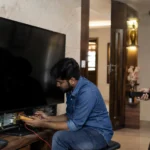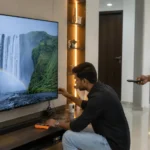


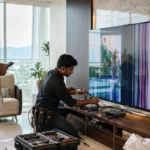



Your television is more than just a screen — it’s your everyday entertainment companion. Whether you own a LED, OLED, or QLED TV, a little care can go a long way in keeping it performing like new. Many users don’t realize that simple habits can significantly affect the lifespan of their TV.
At TVcaree, we’ve repaired thousands of TVs across brands like Sony, Samsung, LG, Haier, and Hisense. And one thing we’ve noticed is — most TV issues like power failure, backlight problems, or motherboard faults happen because of poor maintenance or neglect.
So, let’s go through some smart, easy-to-follow precautions that can help your TV last longer and save you from unexpected repair costs.
Your TV generates heat while running, especially large LED and OLED models. When there’s not enough airflow, the heat gets trapped, which can damage internal components like the motherboard and backlight.
Tip:
Place your TV at least 2–4 inches away from the wall and ensure the room has proper air circulation. Avoid enclosing it in tight cabinets or covered units.
A little care every day can add years to your TV’s life — because prevention is always better than repair.
Power fluctuations are one of the top reasons TVs fail prematurely. A sudden voltage spike can damage your power board or T-CON board, leading to costly repairs.
Tip:
Always connect your TV to a surge protector or voltage stabilizer. This simple step prevents electrical damage and extends your TV’s overall life.
Dust buildup can block vents, affect display clarity, and even interfere with HDMI or USB connections.
Tip:
Use a microfiber cloth to clean your TV screen. Avoid using harsh chemicals, wet wipes, or sprays directly on the screen — they can damage the anti-glare coating.
For ports, use soft brushes or compressed air.


Leaving your TV on for long hours shortens its lifespan, especially the LED backlight. Many users forget to turn it off after leaving the room or sleeping — a common habit that slowly wears out internal parts.
Tip:
Switch off your TV when not in use. If you use a Smart TV, you can also enable an auto power-off feature in settings to help save power and reduce wear.
Modern TVs like OLEDs and QLEDs are prone to image retention (also known as burn-in) when a static logo or paused frame stays on the screen for too long.
Tip:
If you’re pausing content, use a screensaver or turn off the TV temporarily. Avoid leaving paused screens, news tickers, or gaming interfaces idle for hours.
Running your TV at full brightness constantly may make the picture look vibrant but can cause the backlight LEDs to degrade faster.
Tip:
Set your brightness level between 50–70%. You’ll get balanced visuals and increase your TV’s lifespan.
Moisture is a silent enemy of electronic circuits. It can corrode the motherboard and connectors, causing short circuits or sound-related problems.
Tip:
Avoid placing your TV near windows, kitchens, or damp areas. In coastal or humid environments, use a dehumidifier or silica gel pack near your setup.
Unplugging your TV directly without switching it off can cause micro-sparks inside the power circuit. Over time, this may harm the power supply unit.
Tip:
Always use the remote to turn off your TV before unplugging it. Also, during lightning storms, unplug your TV from the wall socket to prevent damage.
Even if your TV seems fine, minor internal issues can go unnoticed until they become serious.
Tip:
Book a routine TV service check once a year with a trusted repair centre like TVcaree. Our technicians can inspect backlights, power boards, and motherboard conditions to prevent costly breakdowns later.
Trying to fix your TV yourself can do more harm than good. Modern TVs — especially OLED and QLED — have complex circuits and fragile panels.
Tip:
If you face issues like no picture but sound, flickering display, or TV not turning on, contact a professional TV repair service near you instead of attempting to open it yourself.
At TVcaree, we specialize in hardware repairs — from backlight replacements to motherboard issues — using genuine parts and trained technicians.
If you notice any of these warning signs:
Your TV makes clicking sounds when turned on.
There’s sound but no display.
Screen flickers or shows white/black lines.
HDMI ports stop working.
It’s time to call in experts. Early intervention can prevent a small issue from turning into a costly replacement.
If your TV is already showing signs of trouble, our team at TVcaree is ready to help.
We offer expert LED TV repair, OLED and QLED servicing, backlight repair, and TV screen replacement using only genuine spare parts.
Book your service today:
✅ Fill out the contact form on our website
✅ Message us on WhatsApp (use the floating icon)
✅ Call us directly for support
At TVcaree, we make sure your TV stays as good as new — for years to come.

TVcaree is your trusted destination for LED, QLED, and Smart TV repairs. We provide fast, affordable, and professional service using genuine parts and proven repair methods for lasting performance.

© Copyright 2024 Tv caree - All Rights Reserved.
WhatsApp us