
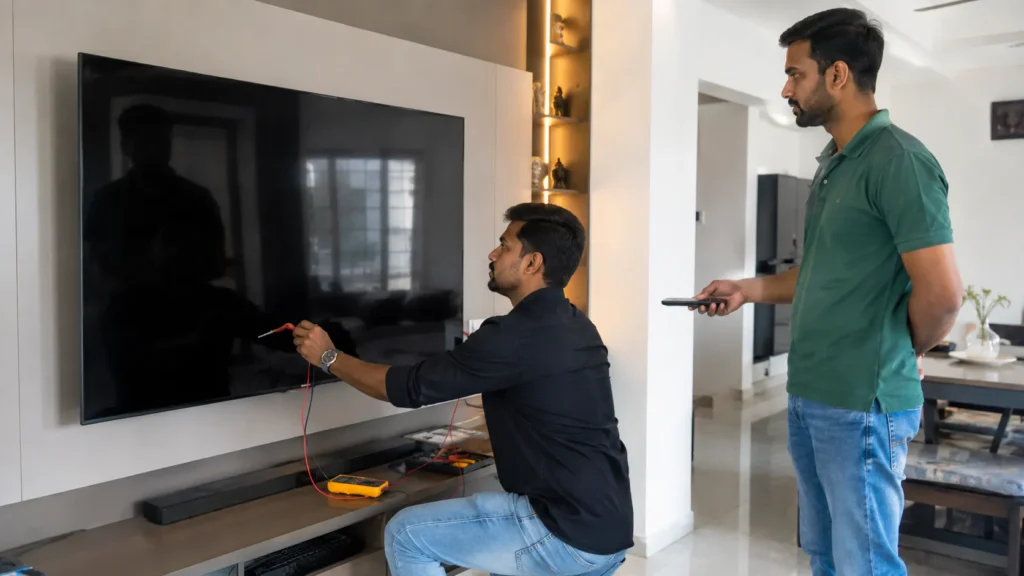
If your Onida television suddenly has a black screen and you are searching for Onida TV No Display Repair Vizag, the first step is to understand whether the problem is coming from the backlight, display section, motherboard, power board or another internal component.
A no-display problem can be confusing because the television may still appear to be working. You may hear channel sound, YouTube audio or set-top box sound, but the screen remains completely dark. In some cases, the TV may turn on normally for a few seconds and then the picture disappears.
At TV Caree, we provide independent multi-brand television repair support in Vizag for LED TV, Smart TV, Android TV and large screen television problems. Onida TV complaints such as black screen, sound but no picture, backlight failure, display lines, no power, motherboard issues and Smart TV problems can be checked based on the actual symptoms.
For TV repair guidance, call 7207902424 or send your TV issue video on WhatsApp:
https://wa.me/917207902424
What Does “No Display” Mean in an Onida TV?
A no-display problem usually means that the television is switching on but the picture is not visible properly.
The exact behaviour can vary.
Your Onida TV may show:
- Complete black screen
- Sound but no picture
- Very dim picture
- Picture visible only with a flashlight
- Screen going dark after a few seconds
- TV power light working but no image
- Brief Onida startup screen followed by darkness
- Uneven screen brightness
- One side of the screen appearing darker
These symptoms do not always mean that the complete TV panel has failed.
A television needs several sections to work together to produce a visible picture. The LED backlight, display panel, motherboard, power supply and internal display connections all play a role.
That is why proper checking is important before deciding the repair.
Onida TV Sound But No Picture
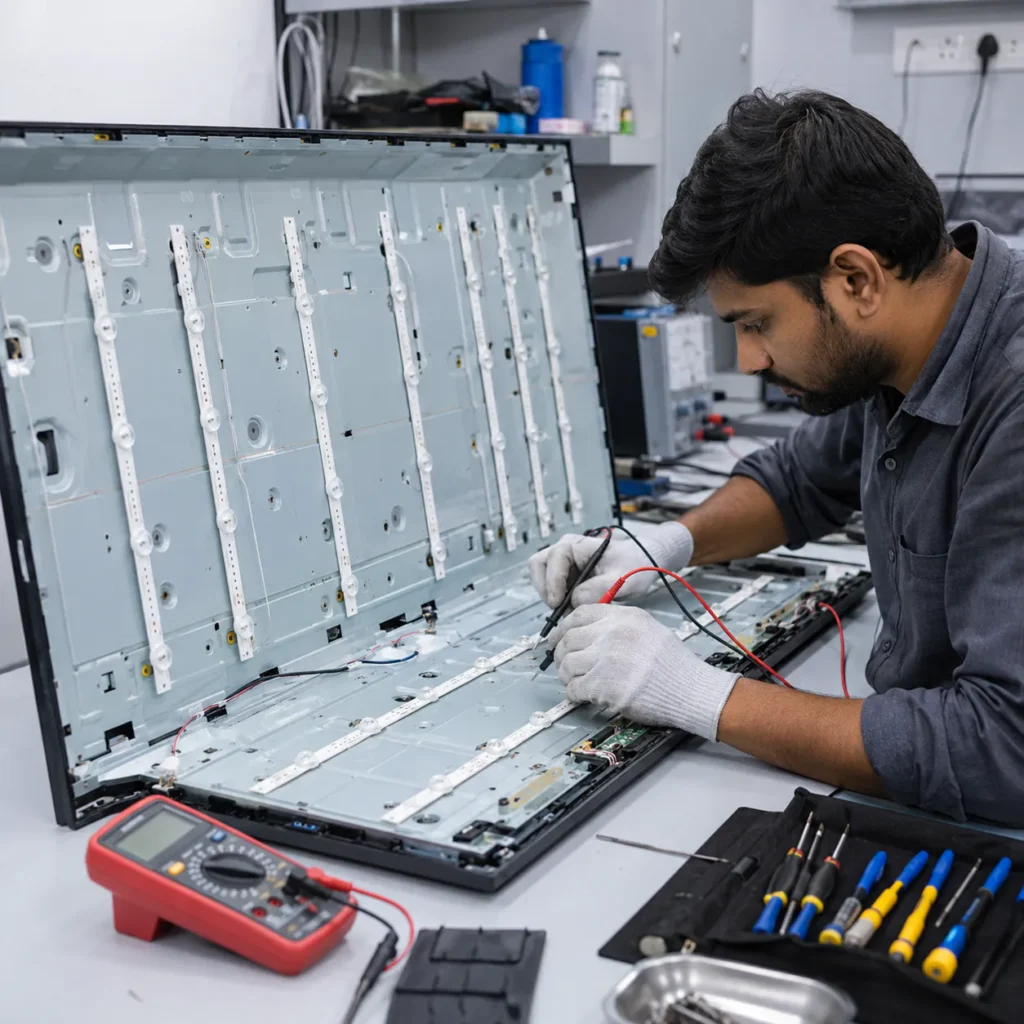
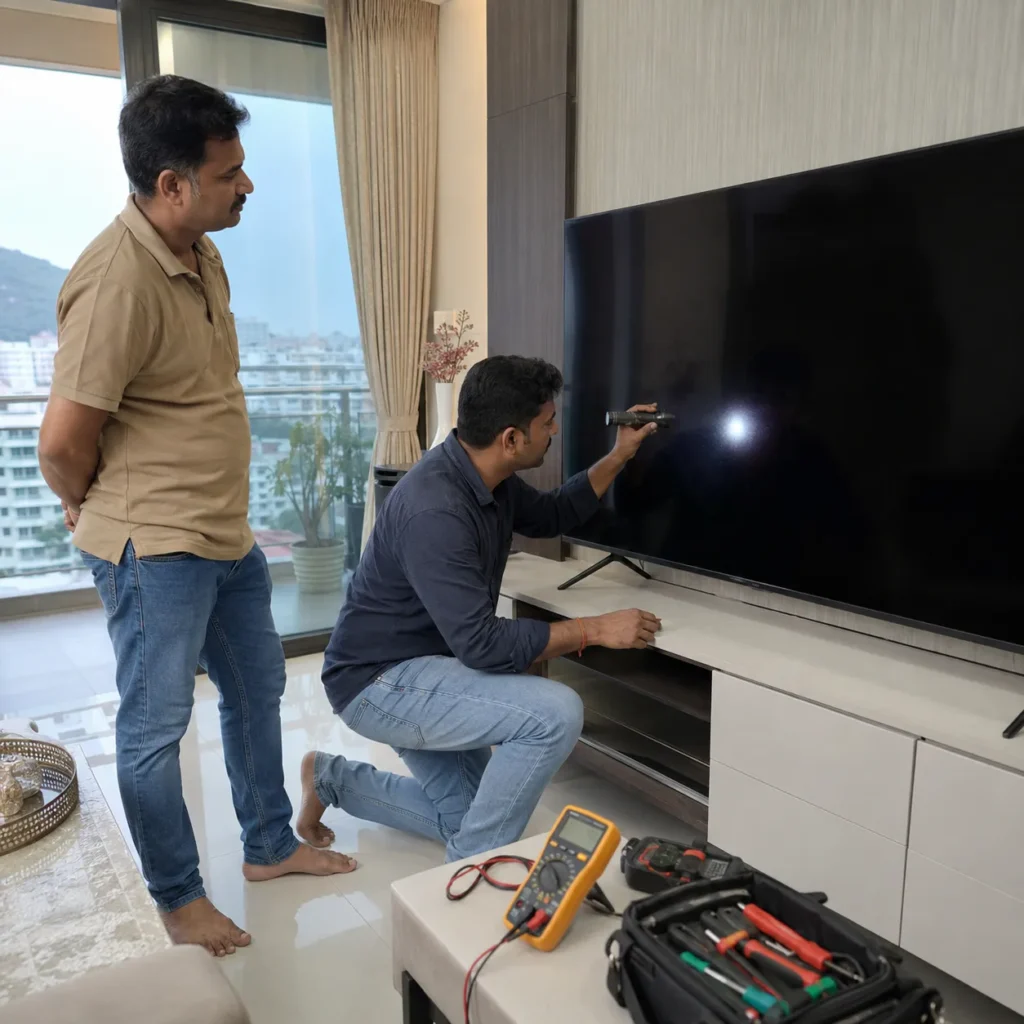
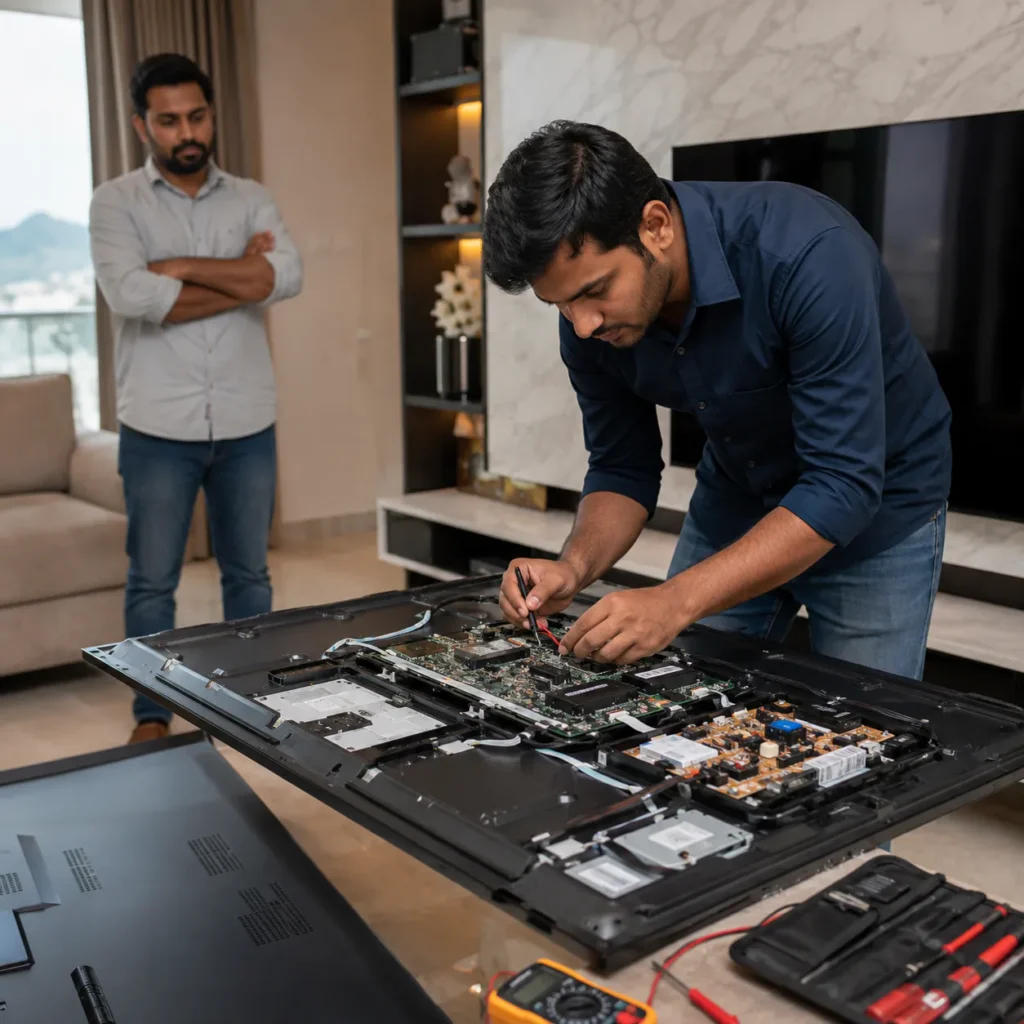
One of the most common complaints related to Onida TV No Display Repair Vizag is sound working normally while the screen remains black.
For example, you may:
- Hear TV channel audio
- Hear set-top box sound
- Hear YouTube or OTT audio
- Notice the remote responding
- See the standby light changing
- Still have no visible picture
This symptom often makes customers think the TV panel is damaged.
However, possible causes may include:
- LED backlight failure
- Weak or damaged LED strips
- Backlight driver problem
- Power supply issue
- Display signal issue
- Motherboard problem
- Loose internal display connection
- Display panel-related fault
The correct cause can only be confirmed after checking the television.
Onida TV Black Screen – Is It a Backlight Problem?
A black screen with working sound can sometimes indicate a backlight problem.
LED televisions use internal LED strips behind or around the display to illuminate the picture. If these LEDs stop working, the display may still be producing an image, but you may not be able to see it because there is no illumination.
Common backlight symptoms include:
- Sound but no picture
- Picture visible with torchlight
- Screen very dim
- TV starts normally and screen becomes dark
- Uneven brightness
- Dark patches on screen
- One portion of display darker than the rest
Customers searching for Onida TV Backlight Repair Vizag often report one or more of these symptoms.
Simple Flashlight Test for a Black Screen
If your TV has sound but no visible picture, you can perform a simple observation without opening the television.
Turn on the TV normally.
Then shine a mobile flashlight closely toward the screen from an angle.
Look carefully for a very faint image.
If you can see a faint picture while the screen remains dark, the symptom may point toward a backlight-related issue.
However, this test does not confirm the exact faulty component. Technician checking is still needed before replacing any parts.
Do not open the TV or touch internal backlight sections yourself.
Why Do Onida TV Backlights Fail?
LED backlights can become weak or fail after extended usage.
Possible factors include:
- Normal LED ageing
- Long daily usage
- High brightness settings
- Heat inside the television
- Power fluctuations
- Individual LED failure
- Backlight driver problems
- Uneven LED strip ageing
Sometimes one damaged LED can cause the backlight protection circuit to switch off the entire lighting system.
The correct repair depends on the television model, screen size and LED strip configuration.
Can Backlight LEDs Be Replaced?
Depending on the TV model and condition, LED strips may be replaceable.
Backlight work requires careful removal of the television display panel because the LED strips are located behind the screen.
This is a delicate process.
The display panel is extremely thin and can crack if:
- Too much pressure is applied
- The panel is bent
- The screen is lifted incorrectly
- Improper tools are used
- Dust or debris gets trapped during reassembly
For this reason, backlight repair should be handled carefully by someone experienced with LED TV disassembly.
Onida TV Has Black Screen but No Sound
A completely black screen with no sound may point toward a different type of issue.
Possible areas that may require checking include:
- Power board
- Motherboard
- Internal power supply
- Software boot section
- Backlight protection
- Display section
- Internal board connections
If the TV does not respond to the remote or buttons, check whether the standby light is visible.
If the TV appears completely dead, the issue may be more related to power than display.
Onida TV Not Turning ON
A TV that does not switch on may show different symptoms.
These can include:
- No standby light
- Standby light blinking
- Red light stays on
- TV clicks but does not start
- TV starts and immediately shuts down
- Screen remains black
- TV repeatedly restarts
Possible causes may include:
- Power board fault
- Motherboard problem
- Internal short circuit
- Failed power component
- Software boot issue
- Backlight protection
- Voltage-related component damage
If you notice a burning smell or unusual electrical sound, disconnect the TV from the power supply and avoid repeatedly switching it on.
Onida TV Display Lines Problem
Not all display complaints appear as a completely black screen.
Some Onida TVs may show:
- Vertical lines
- Horizontal lines
- Half screen
- White display
- Double picture
- Flickering
- Color distortion
- Black patches
- Image freezing
Possible causes may include:
- T-Con section issue
- LVDS cable
- Ribbon connection
- Display panel section
- Motherboard display output
- Panel bonding
- Internal connection issue
Do not press the television screen when lines appear.
Pressing, tapping or twisting the display can make a delicate panel problem worse.
Does a Black Screen Mean the Onida TV Panel Is Damaged?
No.
This is an important point for customers searching for Onida TV Display Repair Vizag.
A black screen can also happen because of:
- Backlight failure
- Power board issue
- Motherboard issue
- Backlight driver problem
- Internal display connection
- Software or boot problem
The display panel is only one possible cause.
Proper diagnosis helps avoid assuming that an expensive panel replacement is required before the television has been checked.
Physical Panel Damage Is Different
Electronic display problems and physical panel damage are not the same.
Physical damage may show:
- Visible crack
- Spider-web pattern
- Ink-like black patches
- Colored broken lines after impact
- Broken glass
- Image only on one section after the TV was hit
If a panel is physically cracked, the repair decision can be different from an electronic display fault.
Tell the technician if the TV recently:
- Fell down
- Was hit
- Was moved to another location
- Was pressed while cleaning
- Was damaged during transportation
This information is important during diagnosis.
Onida Smart TV No Display After Startup
Smart TVs may sometimes start with the logo visible and then become dark, freeze or restart.
Possible causes may include:
- Software boot issue
- Motherboard problem
- Backlight failure
- Internal memory issue
- Power instability
- Display signal issue
If the logo appears clearly, record a video showing what happens from the moment the TV is switched on.
This can help explain the symptom before technician checking.
Onida Smart TV WiFi and App Problems
Some customers looking for Onida Smart TV Repair Vizag may have a working display but problems with Smart TV functions.
Common issues include:
- WiFi not connecting
- Network not detected
- Apps not opening
- YouTube freezing
- TV running slowly
- Apps closing automatically
- TV stuck on loading screen
- Software update problems
- Remote response delay
First restart both the TV and WiFi router.
If other devices connect normally but the television continues to have WiFi problems, the Smart TV software or internal board section may require further checking.
HDMI No Signal on Onida TV
HDMI ports are commonly used for:
- Set-top box
- Fire TV Stick
- Gaming console
- CCTV DVR
- Laptop
- Media player
If your Onida TV shows HDMI no signal, first check the external device.
Try:
- Another HDMI cable
- Another HDMI port
- Restarting the connected device
- Selecting the correct TV input
- Testing another device on the same television
If none of the HDMI inputs work with known working devices, the HDMI section or motherboard may need checking.
Onida TV Sound Problem
Some televisions have a normal display but develop audio problems.
Common sound complaints include:
- No sound
- Low volume
- Distorted audio
- Speaker cracking
- Sound cutting out
- Audio delay
- HDMI sound issue
- Bluetooth output issue
Before booking service, check whether the TV is muted or connected to another audio output.
Also test multiple channels or apps.
If the problem appears everywhere, the speaker, motherboard audio section or related components may need checking.
Onida LED TV Repair in Vizag
LED TVs contain several important internal sections.
These include:
- LED backlight
- Display panel
- T-Con section
- Motherboard
- Power board
- Speakers
- Input ports
A problem in one section can sometimes create symptoms that appear to come from another section.
That is why Onida LED TV Repair Vizag should begin with understanding the actual symptoms rather than replacing parts based only on guesswork.
Large Screen Onida TV Handling
Large televisions require extra care during repair or transportation.
For a 43 inch, 50 inch, 55 inch, 65 inch or larger TV:
- Do not lift the TV alone
- Do not hold it by the display
- Avoid bending the screen
- Do not place pressure on the front panel
- Do not keep the TV face-down on a rough floor
- Use proper support while transporting
Display panel damage caused during transportation can be more serious than the original TV fault.
What Details Should You Share Before Booking Repair?
If you need Onida TV No Display Repair Vizag, keep these details ready:
- TV brand – Onida
- Screen size
- Model number if available
- Exact problem
- Whether sound is working
- Whether standby light is working
- Short video of the issue
- Your Vizag location
- Whether TV is wall-mounted
- When the problem started
- Recent power fluctuation history
- Physical or water damage history
A clear issue video can be especially helpful for black screen, blinking light and display problems.
How TV Repair Support Works
Step 1: Call or WhatsApp
Explain the exact TV symptom.
For example:
- Onida TV sound but no picture
- Onida TV completely black screen
- Onida TV not turning on
- Display lines
- TV becoming dark after a few seconds
- Smart TV stuck on logo
Step 2: Share TV Size and Model
Mention your screen size and model if available.
This is particularly helpful for backlight-related problems because LED strip configurations can vary between television models.
Step 3: Send a Problem Video
Record the TV from the moment you switch it on.
Show:
- Standby light
- TV screen
- Sound
- Startup logo if visible
- Any blinking
- Display lines
Step 4: Share Your Location
Send your Vizag area, nearby landmark or location details.
Step 5: Get Repair Guidance
After understanding the symptom, the possible repair direction can be discussed.
Final repair confirmation depends on proper television checking.
Onida TV Repair Cost in Vizag
There is no single fixed price for every no-display or black screen complaint.
Repair cost can depend on:
- Onida TV model
- Screen size
- Exact faulty section
- Backlight condition
- LED strip requirement
- Power board problem
- Motherboard issue
- Display-related fault
- Spare parts
- Repair complexity
For example, two Onida televisions can both show sound but no picture but have different underlying faults.
One may have damaged backlight LEDs, while another may have a power or display signal issue.
Proper diagnosis should come before confirming the repair requirement.
When Should You Stop Using the TV?
Disconnect the television and avoid repeated power-on attempts if:
- Burning smell is coming from the TV
- TV makes unusual electrical noise
- TV switches on and off continuously
- Smoke is visible
- Water entered the television
- Power board appears to be shorting
- TV was physically damaged
Continued use after serious electrical symptoms may cause additional damage.
Avoid DIY Onida TV Backlight Repair
Backlight replacement often requires removing the complete display panel.
The panel can be damaged very easily during this process.
Avoid attempting backlight repair yourself if you do not have proper TV repair experience.
Internal television sections may also contain electrical components requiring safe handling.
Simple external checks are fine, such as:
- Checking power supply
- Trying another HDMI cable
- Restarting the TV
- Checking remote batteries
- Testing WiFi
- Checking sound settings
But internal board or display work should be handled carefully.
Onida TV Repair Areas in Vizag
TV Caree provides independent multi-brand TV repair support for customers from different areas of Visakhapatnam, including:
- Seethammadhara
- MVP Colony
- Madhurawada
- Gajuwaka
- Akkayyapalem
- Dwaraka Nagar
- Maddilapalem
- PM Palem
- Kommadi
- Yendada
- Rushikonda
- NAD
- Gopalapatnam
- Simhachalam
- Marripalem
- Other nearby Vizag locations
Share your exact location when contacting us for service guidance.
Why Choose TV Caree for Onida TV Repair in Vizag?
TV Caree focuses on identifying the actual television symptom before deciding the next repair step.
Support includes:
- Independent multi-brand TV repair
- Onida LED TV problem checking
- Black screen diagnosis
- Sound but no picture support
- Backlight issue guidance
- Display problem checking
- Motherboard problems
- Power board issues
- Smart TV WiFi complaints
- HDMI problems
- Sound issues
- Large screen TV support
- WhatsApp issue video guidance
The goal is to understand the TV problem clearly and avoid unnecessary repair decisions based only on visible symptoms.
Internal Links
TV Caree – Multi-Brand TV Repair in Vizag:
https://www.tvcaree.in/
TV Repair Vizag – TV Issue Repair Guide:
https://www.tvrepairsvizag.in/
TV Backlight Repair in Vizag:
https://www.tvrepairsvizag.in/tv-backlight-repair-in-vizag/
TV Display Repair in Vizag:
https://www.tvrepairsvizag.in/tv-display-repair-in-vizag/
Doorstep TV Repair Vizag:
https://www.tvrepairsvizag.in/doorstep-tv-repair-vizag/
TV Repair Near Me Vizag:
https://www.tvrepairsvizag.in/tv-repair-near-me-vizag/
External Links
Bureau of Indian Standards:
https://www.bis.gov.in/
National Consumer Helpline:
https://consumerhelpline.gov.in/
FAQs About Onida TV No Display Repair Vizag
1. Why does my Onida TV have sound but no picture?
Sound but no picture may be connected with LED backlight failure, weak LED strips, display connections, motherboard signal or other internal display-related issues. Proper checking is needed to confirm the fault.
2. Does an Onida TV black screen mean panel damage?
No. A black screen can also be caused by backlight failure, power problems, motherboard issues or internal display connections. Panel damage is only one possible cause.
3. How can I check if my Onida TV backlight has failed?
If the TV has sound but the screen is dark, you can shine a flashlight toward the display and check for a faint picture. A faint image may indicate a backlight-related symptom, but professional checking is still needed for confirmation.
4. Can Onida TV backlight LEDs be replaced?
Depending on the TV model and condition, LED strips may be replaceable. Backlight work requires careful removal of the display panel.
5. Why does my Onida TV screen turn dark after a few seconds?
Possible causes can include weak LED strips, backlight protection, power supply instability or other internal problems.
6. Why is my Onida TV not turning on?
A TV that does not turn on may have a power board, motherboard, internal power supply, software boot or protection-related issue. Proper diagnosis is required.
7. Can display lines on an Onida TV be repaired?
Display lines can have different causes including display connections, T-Con section, panel bonding or motherboard output. The exact repair depends on the faulty section.
8. What should I send before booking Onida TV repair?
Share your Onida TV screen size, model number if available, exact symptom, short issue video and Vizag location.
9. Can the repair price be confirmed only from a black screen video?
A video can help understand the symptom, but final repair cost depends on the actual faulty section, TV model, parts requirement and repair complexity.
10. Is TV Caree an authorized Onida service center?
No. TV Caree provides independent multi-brand TV repair support and does not claim to be an official authorized Onida service center.
Final Words
If your television has sound but no picture, complete black screen, dim display, backlight failure, display lines, no power or Smart TV problems and you are searching for Onida TV No Display Repair Vizag, avoid assuming that the complete panel is damaged before the television is properly checked.
A black screen may be caused by backlight LEDs, power supply, motherboard, display connections or other internal components. Identifying the actual symptom first helps make the repair decision clearer.
Call: 7207902424
WhatsApp: https://wa.me/917207902424
Website: https://www.tvcaree.in/
Conclusion
For customers looking for Onida TV No Display Repair Vizag, a black screen or sound-but-no-picture problem should first be diagnosed before deciding whether the backlight, display section, motherboard or another component needs repair.
If the TV has sound but no visible picture, sharing a short video, screen size, model number and Vizag location can make the initial discussion much easier.
TV Caree provides independent multi-brand support for Onida LED TV and Smart TV problems including black screen, backlight failure, display issues, no power, motherboard symptoms, WiFi complaints, HDMI issues and sound problems across Vizag.
For Onida TV repair guidance, call 7207902424 or send your TV issue video on WhatsApp:
https://wa.me/917207902424